For Trainers
Give people something to follow after training.
Give learners a reference they can follow on their own. Capture the demonstration, explain the tricky parts, and choose the format that fits the lesson.
Windows 10 & 11 / Local library / No account to start
Find your way around
A clear set of steps, with the context to get it right.
Open the workspace
Start in the workspace shown below.
Find the right setting
Make a guide for
New starter trainingSoftware walkthroughsPractice and refresher guidesCapture the work. Keep the context.
Give the demonstration a second life.
The session ends. The guide stays useful. Open the guide in Thoth to edit the instructions, mark up the screenshots and prepare the version you want to share.
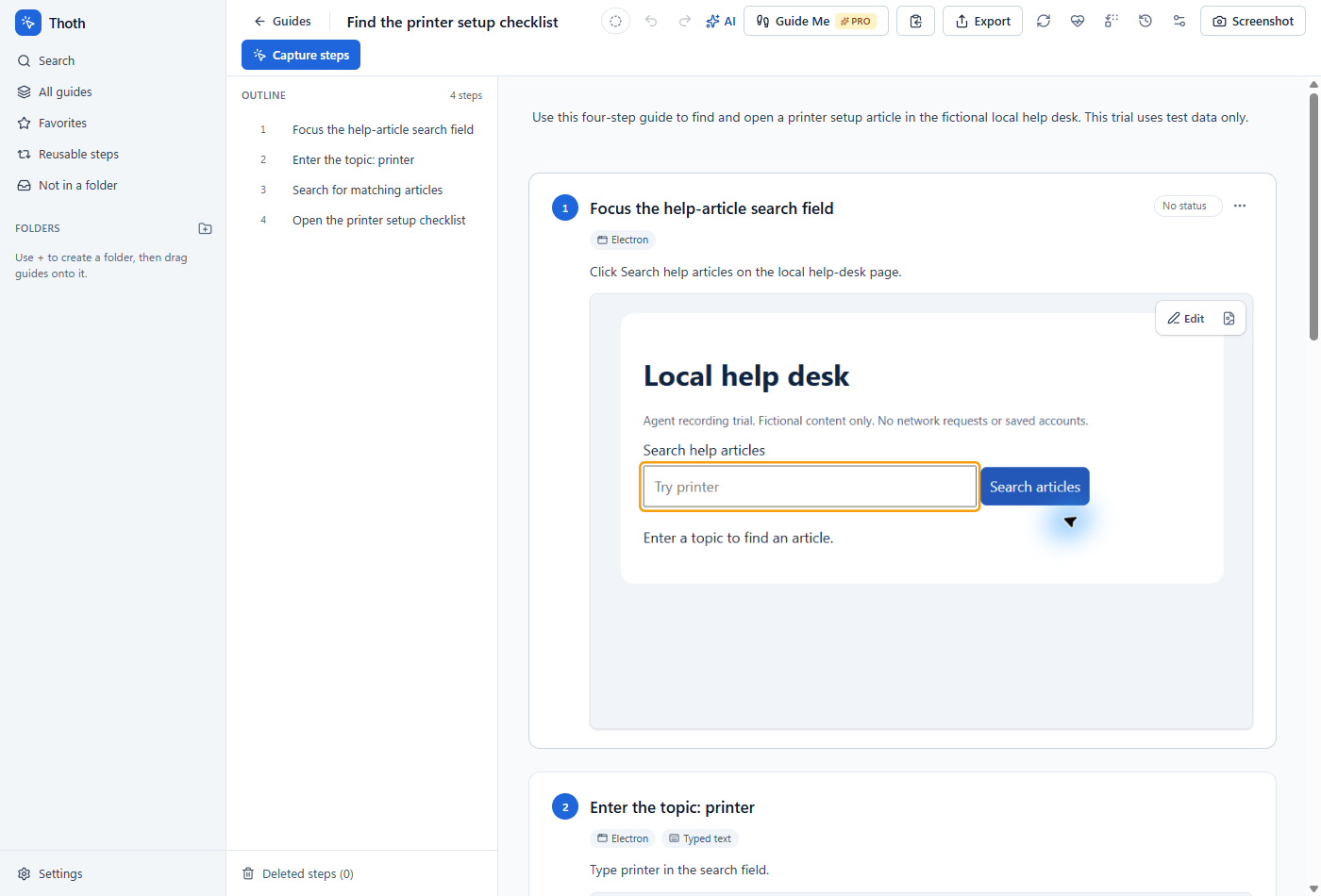
People can return to the exact step they need, when they need it.
Real editor and PDF export. Fictional help desk, sample information.
Make the training easy to revisit.
A typical workflow for trainers, from the first capture to the next update.
- 01
Capture a clear example
Record the task using sample information. Edit the step titles and descriptions so they explain what to do and why.
- 02
Add the teaching detail
Use screenshot annotations and notes to call out important controls, common mistakes and prerequisites.
- 03
Choose how people will follow along
Prepare a handout, a slide deck or another supported export from the guide. Check the preview before saving, and choose the plan that includes the formats you need.
For the work you explain more than once